









- 30 U币
- 50 U币
- 80 U币
- 100 U币
- 300 U币
- 500 U币
- 1000 U币
产品简介:
关于游族U币
1. 什么是游族U币?
游族U币是游族网络推出的官方虚拟代币,可使用游族U币购买旗下页游和安卓手游的游戏内虚拟充值服务。苹果iOS手游用户需购买本站iTunes产品进行充值。
2. 能充值哪些游戏?
游族U币可充值游族网络旗下网页游戏,例如:大皇帝、大将军、盗墓笔记、女神联盟II等。
游族U币可充值游族网络旗下安卓手游,例如:少年三国志、少年三国志2、少年西游记、山海镜花、女神联盟2手游等
充值流程
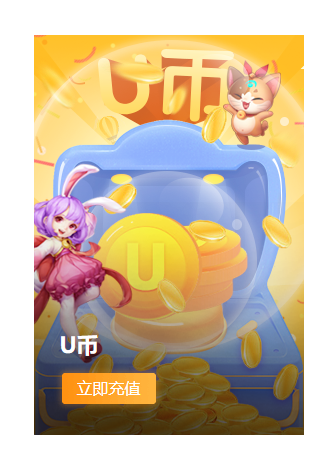
1. 用户自行登录游族商城官网 https://mall.youzu.com/ 选择U币立即充值
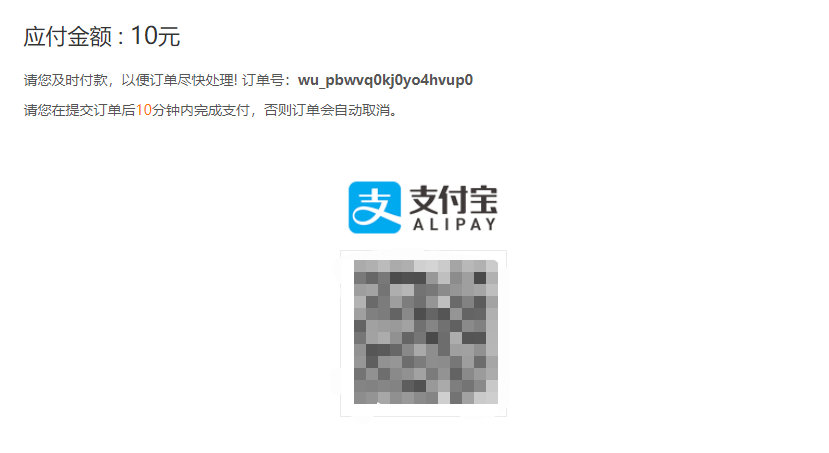
2. 选择对应充值规格,支付方式选择支付宝,点击立即支付

3. 将弹出的二维码发给客服,客服将第一时间扫码代付。
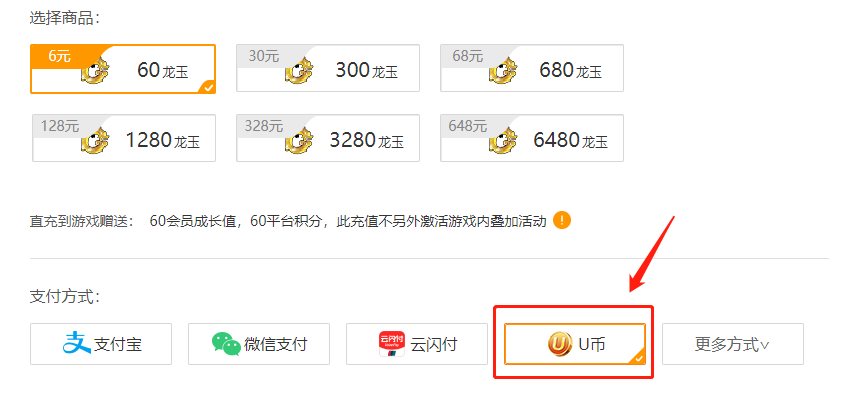
U币充值成功后可在官网充值旗下任意游戏,选择好游戏及对应规格后选择U币支付即可。
购买流程:
1. 进入产品页面选择需要的充值规格,如未找到您需要的规格,请选择合适的规格分别多次下单即可;
2. 点击“立刻购买”按钮,进入购物车页面,也可在此页面添加购买商品数量;
3. 选择您需要的支付方式进行支付,完成订单,将付款二维码提供给在线客服;
4. 付款成功后,客服会在5分钟以内根据您留下的充值信息进行审核,系统进行充值并完成订单。
注意:请务必填写100%正确的充值账号信息,如账号内有特殊符号,请及时联系我们的在线客服说明,方便我们的工作人员核对,避免因信息错误导致充值失败。
如何收货:
1. 订单完成后,请登录游族官网兑换并查询U币余额。请留意充值之前的余额,方便查询到账情况;
2. 如果在下单过程中,您有任何疑问,或者不清楚的地方,请随时联系我们的7*24小时在线客服,我们必将竭诚为您服务;
3. 通过PayPal和信用卡付款的客户,如果您首次下单的金额过大或下单行为突变,为了确保您的账户安全,我们会对您的订单进行安全验证,敬请谅解。
支付方式:
1. 接收全币种支付;
2. 支持PayPal账户、各种信用卡以及本地支付方式支付。
网站声明:
请多次确认您的充值账号及相关信息是否正确,如因您充值账号输入错误但充值成功的,系统不予退款。