



Persona5: The Phantom X (SEA)





- 250 Cognition Crystal
- 490 Cognition Crystal
- 1500 Cognition Crystal
- 2500 Cognition Crystal
- 5000 Cognition Crystal
About Persona5: The Phantom X (SEA):
TGS 2024 Japan Game Awards: Future Games Category Winner!
Dive deeper into the shadows of the Metaverse... and unmask the story of Persona5: The Phantom X! The latest anime style JRPG in the Persona franchise by Atlus!
After awakening from a nightmare, the protagonist is thrust into a changed world drained of hope... And the new faces he encounters are no less strange: an eloquent owl named Lefaye, a long-nosed man and a beauty donned in blue. As he navigates the mysterious realms of the Metaverse and the Velvet Room, and grapples with ruinous visions that threaten his everyday life, he must discover what there is to take from this new world—and all in true Phantom Thief style.
How to top up Persona5: The Phantom X (SEA)?
- Select the recharge specification.
- Enter your Game ID and Role ID.
- Click the 'Buy Now' button and select your payment method.
- Persona5: The Phantom X Cognition Crystal will be immediately available in your account once payment is completed.
How to find your Game ID and Role ID?
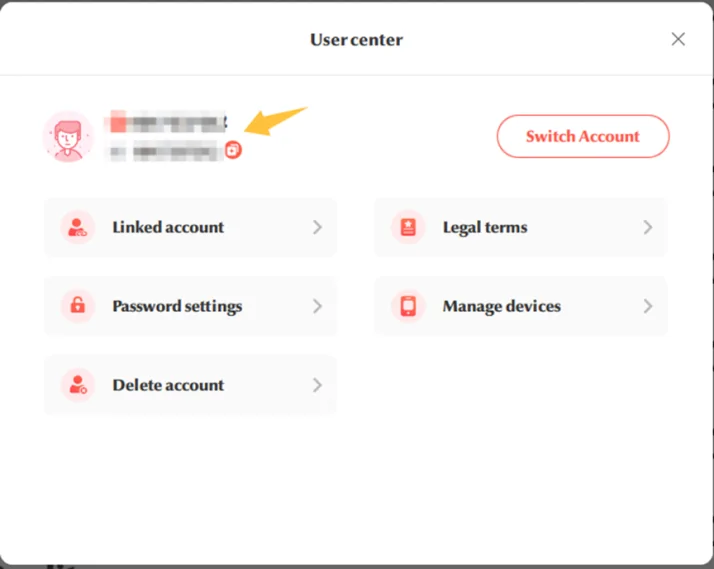
[Game ID]
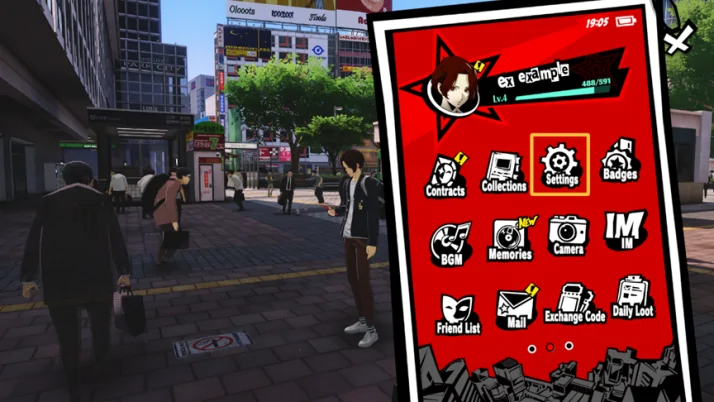
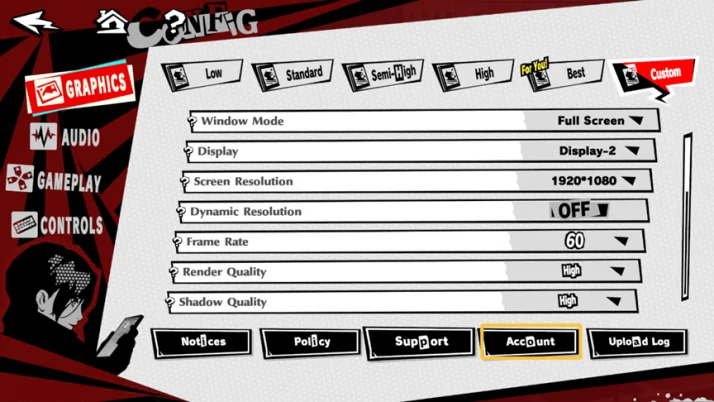
- From the game's main screen, click on Menu → Settings → Account.
- In the User Center interface, the ID displayed is your Game ID.
[Role ID]
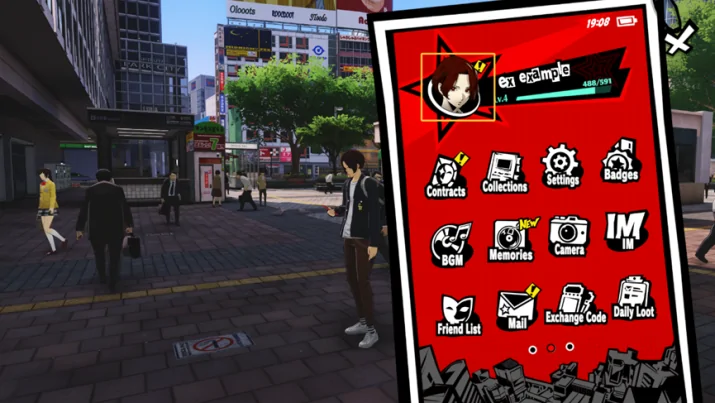
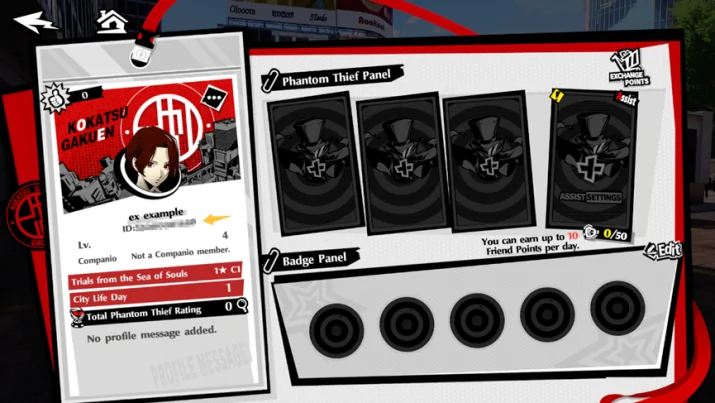
- From the game's main screen, click on your Character Avatar.
- In the Personal Info interface, the ID displayed is your Role ID.